Web App, Browser
CompTIA Flashcards
Interactive CompTIA certification flashcard study tool and practice exam questions.
About this app
# popIT: CompTIA A+ Interactive FlashCards
**Master your CompTIA A+ certification exams through gamified, active-recall study.**
popIT FlashCards is a modern, responsive WebGL study app built to help aspiring IT professionals prepare for and pass their **CompTIA A+ (Core 1 & Core 2)** certification exams. Featuring multiple learning modes, modular chapter selections, real-time accuracy metrics, and streak tracking, popIT transforms memorization into an engaging, interactive experience.
---
## 🚀 Key Features
### 🎯 Dual Learning Modes
- **Multiple Choice Mode (MCQ)**: Test your recognition and test-taking readiness with randomized 4-option questions complete with immediate visual feedback.
- **Classic Active Recall Mode**: Traditional flashcard flip experience. Test yourself, flip the card, and rate your own retention (*"Knew It"* vs. *"Forgot It"*).
### 📚 Comprehensive CompTIA A+ Coverage
- Covers both **Core 1 (220-1101)** and **Core 2 (220-1102)** objectives.
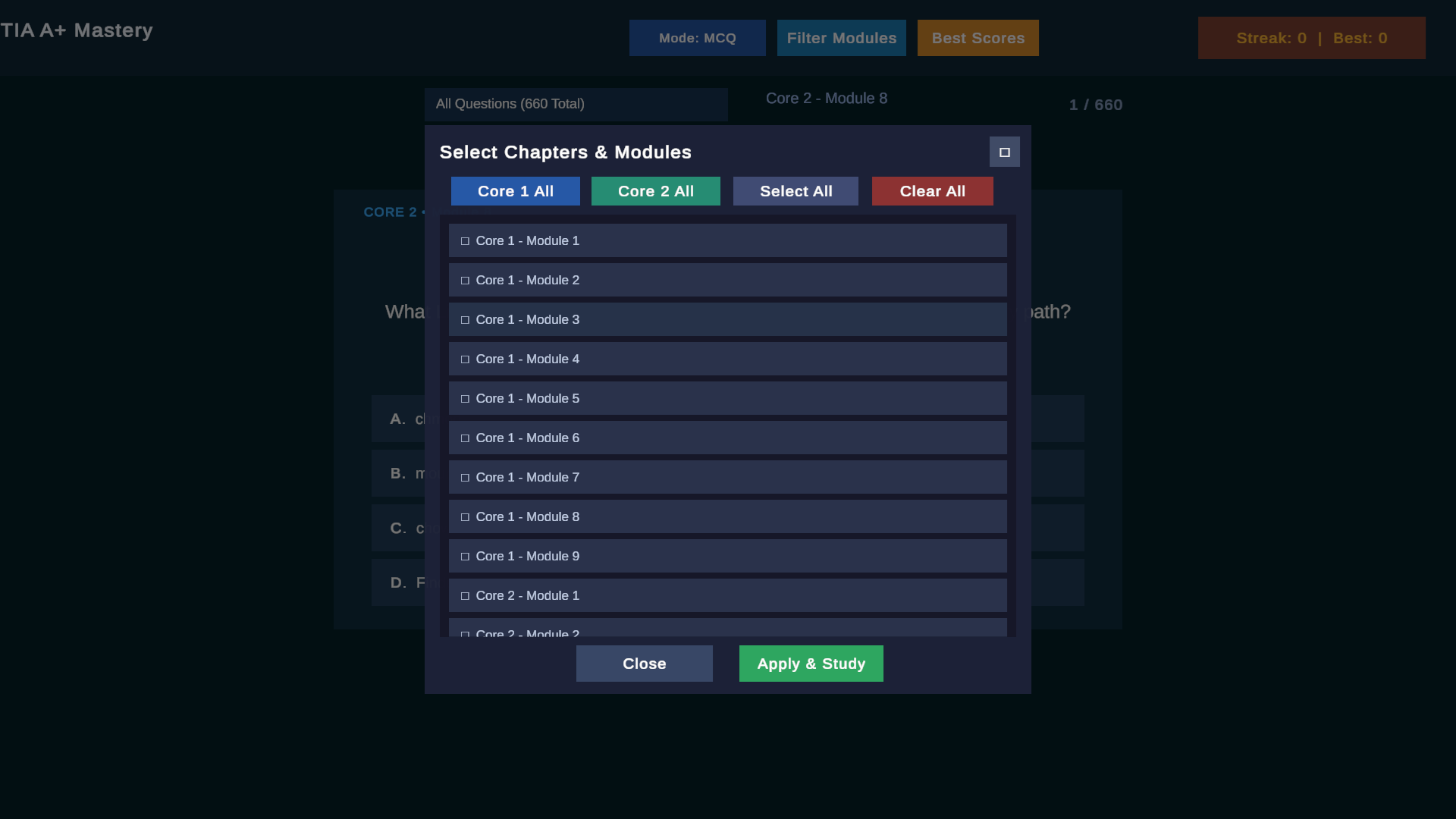
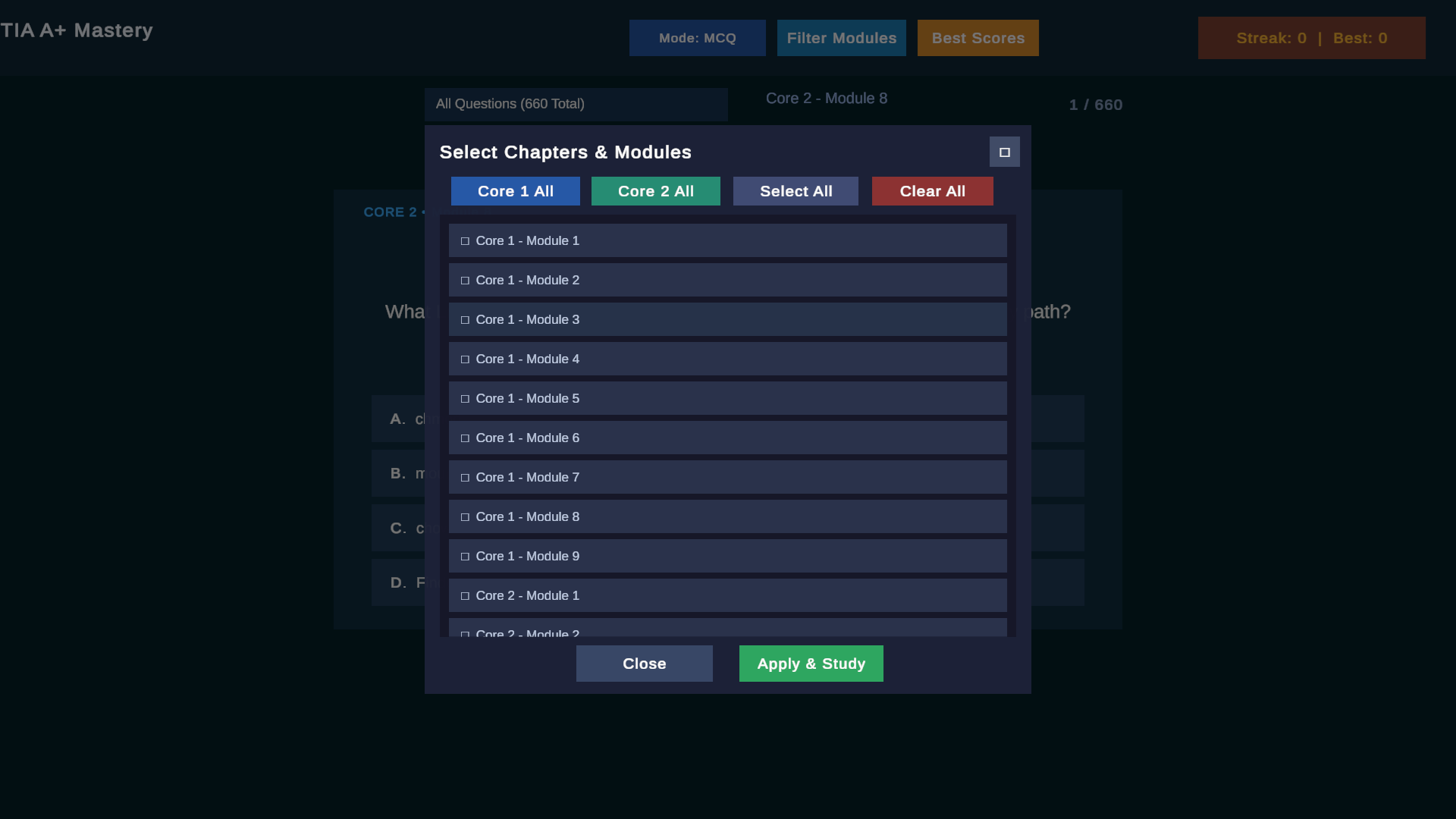
- Granular **Module & Chapter Filter**: Focus on specific domains (Networking, Hardware, Mobile Devices, Operating Systems, Security, Troubleshooting) or test across the entire curriculum at once.
- Convenient bulk selectors: *Select All Core 1*, *Select All Core 2*, or create your own custom study deck.
### ⚡ Gamified Progress & Streak Tracking
- **Streak Multipliers & Milestones**: Build continuous answer streaks to unlock milestone rewards and keep study motivation high.
- **Real-Time Accuracy Rate**: Track total questions reviewed, correct vs. incorrect answers, and live accuracy percentage.
- **Persistent High Scores**: Local score retention saves your personal best streaks and statistics across study sessions.
### 🌐 Zero-Install, Cross-Platform WebGL
- Runs straight from any modern desktop or mobile web browser.
- Instant loading, responsive layout, full-screen toggle, and lightweight footprint.
---
## 🕹️ How to Use
1. **Pick Your Exam Track & Modules**: Open the module menu to choose between Core 1, Core 2, or specific target domains.
2. **Select Your Mode**: Switch between **Multiple Choice** and **Classic Flip** at any time using the mode toggle.
3. **Practice & Review**:
- In **MCQ Mode**: Tap an option to see instant verification. Correct answers advance your streak; incorrect choices highlight where review is needed.
- In **Classic Mode**: Read the prompt, tap **Flip** to inspect the detailed answer, and log your mastery.
4. **Monitor Your Mastery**: Check the deck progress bar and personal bests modal to measure your exam readiness over time.
---
## 🛠️ Built With
- **Engine**: Unity 6 / WebGL
- **Data Architecture**: Structured CSV/JSON question datasets tailored to CompTIA certification standards
- **Deployment**: Static WebGL export compatible with any web host, Apache, Nginx, or CDN
Tier & Pricing$0
Launch Web App (Open Subdomain)
Runs securely on comptiafc.jayyraven.dev
Technical Specs
Download Size
? MB
OS Requirements
Any (Web Browser)
Tags
comptiaflashcardscertificationitstudywebapp